
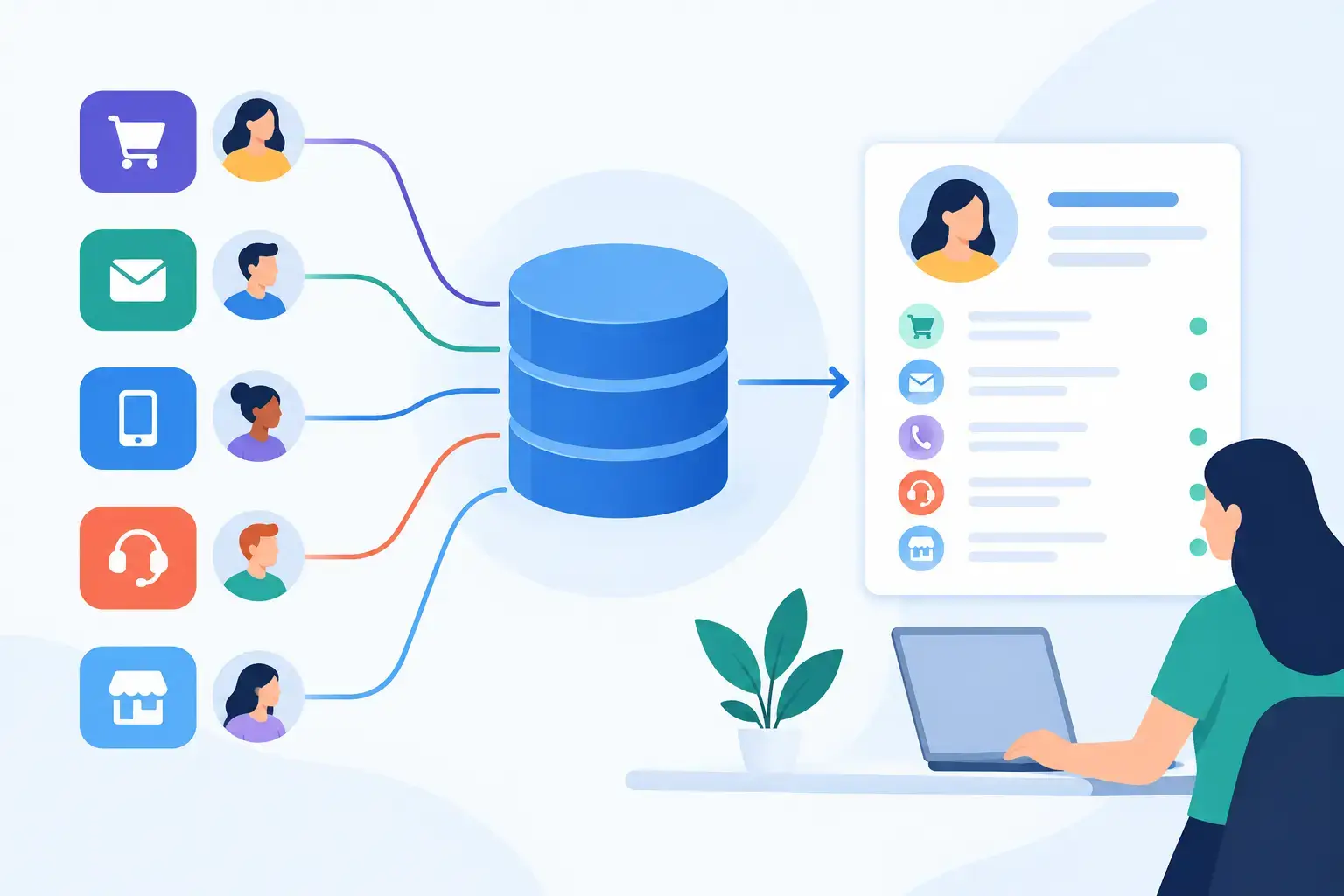
A customer calls about an order that was changed yesterday. Sales can see the opportunity, customer service can see the support ticket, and finance can see the invoice. Nobody can see the complete story without opening three systems, checking a spreadsheet and asking someone in the warehouse.
That is the operational cost of fragmented information. To centralise customer data is not simply to put contacts into one database. It is to create a reliable, usable view of each customer across the systems your business needs to run.
For Australian businesses using a mix of CRM, ecommerce, ERP, accounting, marketing and service platforms, the goal is not necessarily a single replacement platform. It is clean data movement, clear ownership and workflows that give each team the information it needs without creating more manual work.
Why fragmented customer data becomes expensive
Disconnected data rarely stays a technology problem. It becomes a commercial problem when staff lose time reconciling records, customers receive conflicting messages, and leaders make decisions from incomplete reports.
A customer may exist as one record in a CRM, another in an ecommerce platform and several more in an ERP because of a changed email address, different company name or a rushed manual import. Each system can appear to work properly on its own. The issue emerges when an order is delayed, a credit limit changes or an account manager needs to understand the real value of a relationship.
The immediate costs are familiar: duplicate entry, avoidable errors and staff chasing answers across systems. The less visible costs can be larger. Sales teams cannot reliably identify cross-sell opportunities. Service teams lack context. Marketing segments the wrong customers. Finance and operations work from different versions of the truth.
Centralisation gives the business a controlled way to connect those records. Done well, it reduces administrative load while improving the quality and speed of customer decisions.
Centralise customer data around a clear purpose
The wrong starting point is, “Which platform should hold everything?” The better question is, “Which customer decisions and workflows are currently slowed down by missing or inconsistent information?”
For a wholesaler, the priority may be connecting account details, pricing, stock availability and order history so staff can respond accurately. For an ecommerce business, it may be joining online behaviour, purchase history, returns and support interactions to improve retention. For a professional services firm, it may be bringing together leads, proposals, projects and billing status.
Those use cases determine the architecture. A CRM may remain the best place to manage relationships and sales activity. An ERP may remain the source of truth for pricing, fulfilment and financial records. Your ecommerce platform should continue to manage storefront transactions. Centralisation does not require forcing every function into one oversized system.
Instead, establish a connected customer view. This can be a well-integrated CRM, a purpose-built internal application, a customer data layer or a reporting environment, depending on the complexity of the business. The right choice depends on the volume of data, the number of systems involved, real-time requirements and the workflows people actually follow.
Start with data ownership, not integrations
Integrations are only as dependable as the rules behind them. Before connecting systems, decide which application owns each core piece of customer information.
For example, the CRM may own lead source, relationship notes and sales stage. The ERP may own trading terms, invoice status and account balance. Ecommerce may own online order details. A support platform may own tickets and service history. The central customer view can combine this information, but it should not create ambiguity about where updates belong.
This matters because two-way syncing without rules can spread errors at speed. If staff can edit a customer address in three systems, conflicts become more likely without agreed resolution rules. If an integration overwrites a legitimate update because it cannot identify the newest or most authoritative record, trust in the system drops quickly.
A practical data ownership model should answer three questions for every important field: where is it created, who can change it, and where should that change flow next? These decisions are not glamorous, but they are the difference between dependable automation and an expensive tangle of syncs.
Match records using identifiers that hold up
Names and email addresses are useful, but they are not always reliable identifiers. People change jobs, businesses use shared inboxes, and company names are entered differently across systems.
Where possible, use stable unique IDs. This might be an ERP account number, CRM contact ID, ecommerce customer ID or a purpose-built master customer identifier. If no shared identifier exists, build a matching process that uses agreed rules and flags uncertain matches for review.
The objective is not perfect historical data on day one. It is a repeatable method that helps prevent new duplicates and progressively improves the quality of existing records.
Build the highest-value flows first
Trying to connect every field across every platform is a common way to turn a sensible project into a slow, costly one. Start with the flows that remove the most friction or create the greatest commercial value.
A typical first phase might synchronise new customers and account updates between CRM and ERP, push ecommerce orders into fulfilment, and return order or invoice status to customer-facing teams. That alone can remove significant rekeying and give staff a more complete view during everyday interactions.
The next phase might add product catalogue data, supplier information, service history or marketing preferences. Once the core flows are proven, it is easier to extend the system without guessing which integrations matter.
Real-time synchronisation is not always necessary. Stock levels or online orders may need immediate updates, while a nightly update may be more than adequate for a management report. Real-time integration can increase complexity, monitoring requirements and cost. Use it where the business case is clear, not because it sounds more advanced.
Design for exceptions, not just happy paths
Plan for records that do not match, missing fields, failed API calls and unexpected changes in a third-party platform. A system designed only for successful transactions creates a quiet backlog of bad data until someone discovers it weeks later.
Good customer data architecture includes visible error handling. Failed records should be logged, routed to the right person and easy to correct without technical intervention where possible. Teams need to know whether an order failed to transfer, why it failed and what happens after they fix it.
This is also where human oversight matters, particularly when AI is involved. AI can help classify enquiries, summarise customer history, identify likely duplicates and draft responses based on approved information. It should not silently make high-impact changes to account records, pricing or customer communications without defined review rules.
The best automation gives people faster, better context while retaining appropriate control over exceptions and decisions.
Make the central view useful to the people doing the work
A central customer record should help someone complete a task, not become another dashboard nobody opens. For sales, that may mean current orders, outstanding invoices and recent support issues are visible before a call. For service, it may mean seeing customer tier, account manager, delivery status and prior interactions in one workspace.
For operations leaders, the value may be less about individual records and more about dependable reporting. When customer, order and service data is connected, the business can measure order-to-cash time, repeat purchase patterns, support demand by customer segment and the operational cost of exceptions.
Avoid giving every user every field. A useful interface is role-specific. Warehouse staff need accurate order and delivery information. Account managers need commercial context. Finance needs controls and reconciliation detail. Access should reflect both practical needs and privacy obligations.
Protect data quality after launch
Centralisation is not a one-off clean-up. As systems, products and teams change, so will the ways data enters your business. Without ongoing governance, duplicates and inconsistent records will return.
Assign responsibility for key data domains and review practical measures such as duplicate rates, records with missing fields, integration failures and time taken to resolve exceptions. Keep a change process for new fields, new platforms and altered business rules. A seemingly small change to an ecommerce checkout field can affect reporting, synchronisation and customer communications downstream.
Security needs the same discipline. Customer information should move only where it is required, with role-based access, secure credentials and an audit trail for sensitive changes. Centralisation can reduce ad hoc spreadsheet exports and uncontrolled copies of data, but it also concentrates access to customer information. Design access and retention around the applicable obligations; the OAIC provides guidance on protecting and retaining personal information for organisations covered by the Australian Privacy Principles.
Choose architecture with manageable dependencies
An all-in-one platform can suit a business with straightforward processes and a willingness to adopt its way of working. For more complex operations, forcing CRM, ERP, ecommerce and service requirements into a single vendor ecosystem can introduce compromises, expensive customisation and escalating subscription costs.
A connected architecture provides another option. Existing specialist systems can remain in place while integrations and custom workflow software fill the gaps between them. This approach can require more integration design upfront, but it can preserve useful investments and give the business control over how its processes evolve.
The key is to avoid brittle point-to-point connections that nobody understands. Document the flows, use maintainable APIs where available, monitor failures and build with future systems in mind. A central customer data strategy should make the next change easier, not make every future project dependent on one developer or platform.
When customer data is organised around real workflows, staff spend less time looking for answers and more time acting on them. That is the practical test: not whether every record lives in one place, but whether your business can trust the information it uses to serve, sell to and support its customers.
Codex’s systems integration services can help map those customer data flows and define a manageable first phase around the systems your team already uses.