
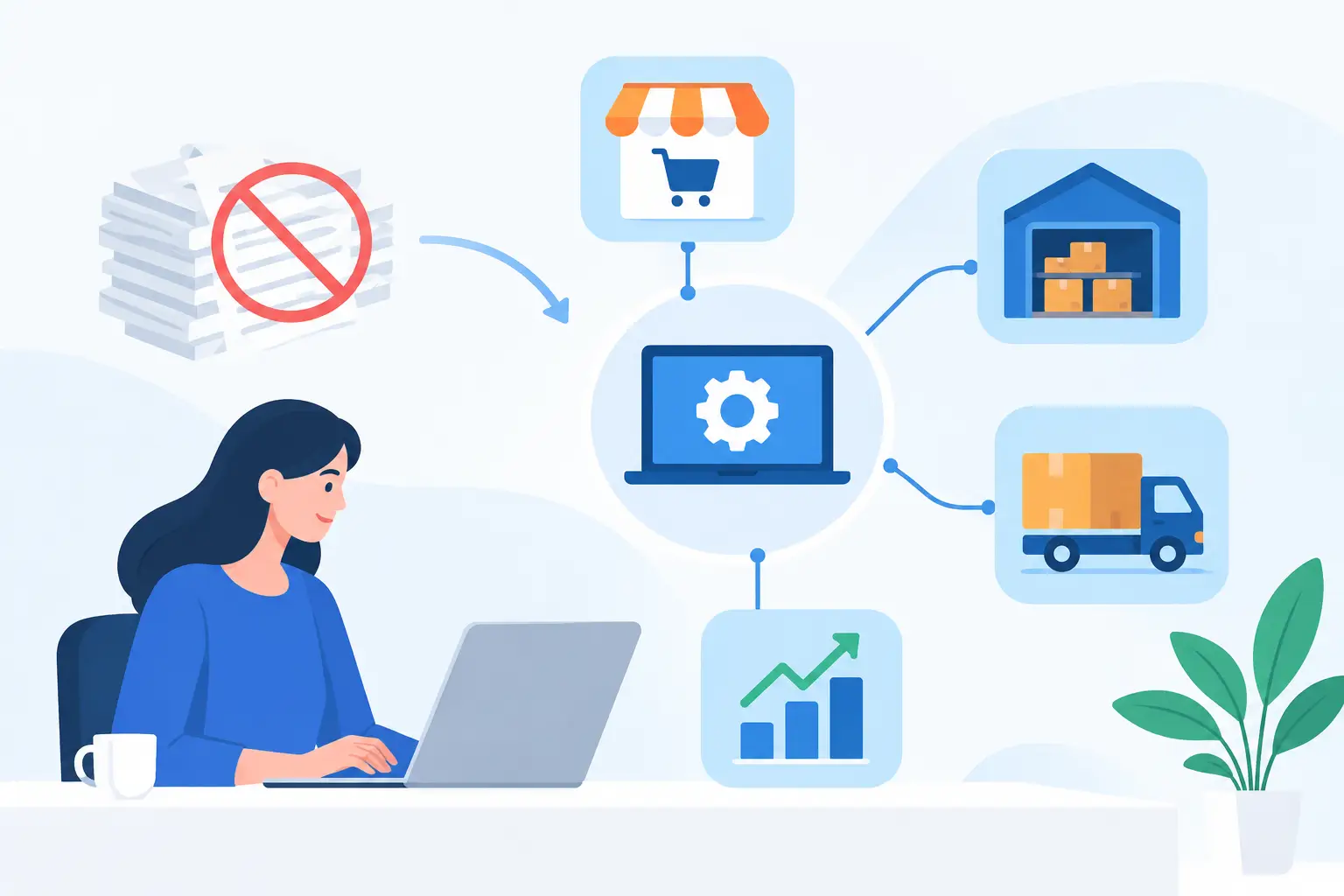
Imagine a sales order copied from an ecommerce platform into an ERP, checked against a spreadsheet, then corrected after the online stock figure proves wrong. That manual handoff makes capable staff the integration layer between systems that were never properly connected.
Ecommerce ERP integration replaces that manual hand-off with controlled data movement between the systems that run your online sales and fulfilment operations. Done well, it gives teams reliable stock, order, pricing and customer information without forcing them to maintain the same record in three places.
The objective is not to connect every platform simply because an API exists. It is to remove the operational friction that costs time, creates errors and makes growth harder than it needs to be.
What ecommerce ERP integration should actually achieve
An ecommerce platform is designed to sell. It manages product pages, carts, payments and customer-facing experiences. An ERP is designed to run the business behind the sale: inventory, purchasing, warehousing, finance, fulfilment and sometimes manufacturing.
When those systems are disconnected, the gaps show up quickly. Stock levels lag behind reality. Customer service teams cannot confidently answer delivery questions. Finance reconciles exceptions at month-end. Operations staff spend hours rekeying orders or checking whether a supplier catalogue has changed.
A useful integration creates a defined flow of information in both directions. Orders placed online reach the ERP with the right customer, delivery, tax and line-item details. Fulfilment status and tracking information return to the ecommerce platform. Product availability, pricing and catalogue changes are published from the system that owns them.
That last point matters. Integration is not just data transfer. It is deciding which system is trusted for each piece of data, then making sure the movement of that data is traceable, predictable and recoverable when something fails.
Start with the operating process, not the connector
Pre-built connectors can be useful for straightforward businesses. They can also create a false sense of progress when the real process includes account pricing, multiple warehouses, supplier stock feeds, backorders, approval rules or custom product configurations.
Before selecting software or writing integration logic, map what happens from the moment a customer places an order through to dispatch, invoicing and any return. Focus on exceptions as closely as the happy path. The standard order may be easy. The difficult cases are usually partial fulfilments, split shipments, substituted items, cancelled orders, customer-specific price lists and products that are temporarily unavailable.
Define ownership for every critical record
Most integration problems begin with unclear ownership. If product descriptions are edited in the ecommerce platform but stock codes are maintained in the ERP, the business needs rules for how those records are matched and what happens when either system changes.
In many cases, the ERP should remain the source of truth for stock, core product data, prices and fulfilment status. The ecommerce platform should own customer-facing content, merchandising and promotions. But there is no universal model. A business with a sophisticated product information process may use another platform as the catalogue master. The right approach depends on how the business actually operates.
The key is to avoid bi-directional updates for the same field without a clear conflict rule. Two systems both trying to control stock quantity or customer details is a reliable way to create duplicate records and difficult reconciliations.
Design for the data you really have
ERP data is rarely as clean as teams expect. Product codes may be inconsistent, discontinued items may remain active, and customer accounts may have been created over years by different staff. An integration will expose these issues because systems can no longer rely on human interpretation.
Treat data preparation as part of the project, not a separate clean-up exercise that can wait until later. Establish matching rules, identify mandatory fields and decide how incomplete records are handled. For example, an order missing a valid shipping method may need to be held for review rather than passed into fulfilment with a guess.
Choose an architecture that will not become another workaround
The simplest integration is often a direct API connection between the ecommerce platform and ERP. For a limited number of stable workflows, that can be the right answer. It has fewer moving parts and can be cost-effective to maintain.
However, direct connections become harder to manage as requirements grow. A business may need to add a CRM, warehouse system, supplier catalogue feed, customer portal or reporting platform. If each tool is connected directly to every other tool, the result is a brittle web of dependencies.
A better approach for more complex operations is to use an integration layer that manages transformations, queues, error handling and monitoring. This could be a purpose-built middleware service, an integration platform or custom workflow software. It provides a controlled place to convert data formats, apply business rules and record exactly what happened to each transaction.
For a concrete Codex example, Pinnacle Parts Integration reads catalogue, inventory and pricing data from Pinnacle for a connected online store, then validates and forwards store orders to Pinnacle. It records order outcomes for review in the console. The supported platforms, sync schedule and limits depend on the selected arrangement, so confirm those details against the workflow you need. This illustrates a focused ecommerce integration, not a claim that one product connects every ERP.
Build the integration around commercial priorities
Not every data flow needs to launch on day one. Trying to automate orders, product data, returns, loyalty records, supplier feeds, accounting and customer communications in one release increases risk and delays the benefits.
Start with the process causing the greatest operational cost or customer impact. For many businesses, that is order capture and fulfilment updates. For others, particularly parts and industrial suppliers, it may be accurate catalogue, price and stock synchronisation.
A practical first release should handle the core transaction from online order through to fulfilment confirmation, with clear handling for failed messages and manual review. Once that is stable, the next phase can improve catalogue enrichment, account-specific pricing, returns or supplier automation.
This phased approach is not about settling for an incomplete solution. It is about proving the architecture and delivering value before expanding the scope. It also gives operational teams time to test real exceptions and refine rules before they become embedded across the business.
Do not overlook failures, delays and human review
APIs fail. Platforms have maintenance windows. A customer can place an order for the last available item at the same time a warehouse adjustment is being processed. A good ecommerce ERP integration assumes these events will happen.
That means using queues where appropriate, retrying temporary failures, preventing duplicate order creation and providing alerts when an item needs attention. It also means giving staff a practical way to resolve issues. An error message that says “validation failed” is not enough. The person responsible needs to know which order failed, why it failed, what data is missing and whether it can be safely retried.
Human oversight remains valuable, especially for high-value orders, credit-controlled customers and unusual fulfilment scenarios. Automation should remove repetitive work, not hide important commercial decisions inside a black box.
Measure whether the integration is paying for itself
The strongest business case is usually visible in operational measures rather than abstract technology claims. Track the number of orders manually entered each week, stock-related customer complaints, time taken to dispatch, catalogue update delays and the volume of exceptions requiring staff intervention.
You can also measure the financial effect. Better stock accuracy reduces overselling and emergency freight. Faster order processing allows existing staff to handle higher volumes. Reliable product and price data reduces margin leakage caused by outdated information online.
The right metrics vary by business, but they should be agreed before implementation. If the goal is to reduce manual order processing from four hours a day to thirty minutes, that target should shape the design and be tested after launch.
A connected operation is easier to scale
Ecommerce growth often exposes operational weaknesses before it creates a revenue problem. More orders arriving through disconnected systems do not automatically create a more efficient business. They can simply create more rekeying, more exceptions and more pressure on the people holding the process together.
A well-designed ecommerce ERP integration gives the business a reliable foundation to add channels, warehouses, suppliers and customer services without rebuilding the workflow each time. It should fit the way your teams work now while leaving room for how the business intends to operate next.
If the current process depends on spreadsheets, inboxes and staff memory, the most useful next step is to map one complete order journey and identify where information is copied, delayed or changed. That process map will tell you far more about the integration you need than a generic connector comparison ever will.